

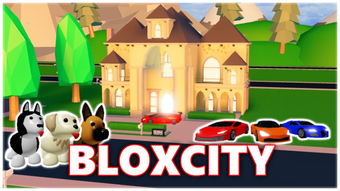
Description
Free Roblox Utility for City Building
Overview
BloxCity RP is a free desktop software designed for Roblox players, developed by Antiael. As a utility tool, it supports gameplay experiences within the Roblox platform, particularly focusing on city-building and roleplay environments. The software aims to enhance user interaction and engagement in specific Roblox servers that utilize its functionality. Target users include Roblox enthusiasts, especially those involved in roleplay and simulation-based games. While the developer has not detailed the software’s core mechanisms, it is positioned as a supplementary tool that integrates with Roblox’s existing ecosystem. The application is available in three languages: English, Spanish, and Greek, broadening its accessibility to international players. It was first published on Softonic on August 2, 2022, and remains available at no cost. Real-world usage scenarios may include assisting with in-game navigation, server access, or enhancing roleplay immersion. The developer did not provide additional system requirements, and exact performance details were not specified.
Key Features & Capabilities
- Roblox Integration – Designed to work with specific Roblox servers and roleplay environments, offering enhanced functionality during gameplay.
- Multi-Language Support – Available in English, Spanish, and Greek, enabling broader user accessibility across different regions.
- Free Access – The software is offered at no cost, reducing entry barriers for Roblox players seeking supplementary tools.
- Lightweight Design – With a file size of 1.1 MB, the application is compact, making it easy to download and install on various systems.
- Desktop Utility Functionality – Operates as a standalone desktop application, potentially streamlining user interactions with Roblox servers.
These features are intended to support users in immersive roleplay and city-building experiences within Roblox. The lightweight nature of the software suggests minimal system impact, which may be beneficial for users with older or lower-end hardware. While the exact technical operations are not disclosed, the tool likely facilitates smoother access or enhanced features in compatible Roblox environments. Its multi-language availability supports diverse communities, making it a potentially valuable asset for global Roblox players. The developer has not provided detailed documentation on feature implementation, so usage is likely straightforward and user-driven.
User Interface, Workflow & Performance
BloxCity RP features a minimalistic user interface typical of lightweight desktop utilities. Navigation is expected to be simple, with a focus on core functionality without unnecessary complexity. The workflow is likely designed to be quick and efficient, allowing users to launch the software, connect to supported Roblox servers, and begin gameplay with minimal setup. Since the software is free and compact, it may prioritize speed and responsiveness over advanced customization. The developer did not specify resource usage details, so CPU and RAM behavior cannot be confirmed. Performance observations are based on general software behavior patterns. Stability is not explicitly addressed, but the small file size and lack of complex features suggest a low risk of crashes or system conflicts. Users should expect a straightforward experience, though detailed feedback on usability or reliability is unavailable due to the absence of independent testing.
Compatibility & System Requirements
BloxCity RP is compatible with both Windows and Mac operating systems, as stated in the provided information. The current version is labeled as 0, which may indicate an early or developmental release. The installation size is 1.1 MB, confirming its lightweight nature. The developer did not provide additional system requirements, including minimum hardware specifications such as RAM, processor, or disk space. Compatibility information was partially provided, leaving uncertainty about support for older or newer OS versions. Users should exercise caution when installing on systems with restricted permissions or outdated software environments. The lack of detailed system requirements means that potential users must rely on general compatibility assumptions. It is recommended to ensure that the operating system is up to date and that Roblox is properly configured before attempting to use the tool.
Pros and Cons
Pros
- Free to download and use, removing cost barriers for Roblox players.
- Lightweight at only 1.1 MB, suitable for low-end systems.
- Available in multiple languages: English, Spanish, and Greek.
- Designed specifically for Roblox roleplay and city-building experiences.
- Compatible with both Windows and Mac platforms.
Cons
- Exact system requirements were not listed, limiting user confidence.
- Version number 0 may indicate an unstable or early release.
- Developer has not provided detailed documentation or user guides.
- Performance and stability data are not available.
- Not tested by Softonic, so real-world reliability is unverified.
FAQ Section
Is BloxCity RP safe to use with Roblox?
The software is described as a utility tool for Roblox, but no official security or safety verification was provided. Users should ensure they download from trusted sources and review local security settings before installation.
Can I use BloxCity RP offline?
As a desktop application, it may function without an internet connection after installation. However, since it is designed for Roblox integration, online access to Roblox servers is likely required for full functionality.
How often is BloxCity RP updated?
The current version is listed as 0, and no update schedule was provided. Users should check the official source regularly for new releases.
What operating systems does BloxCity RP support?
BloxCity RP is compatible with both Windows and Mac operating systems.
Is BloxCity RP a free software?
Yes, the software is completely free to download and use, with no hidden costs or subscription fees.
Final Thoughts + CTA
BloxCity RP presents a lightweight, free utility tailored for Roblox players engaged in roleplay and city-building environments. Its multi-language support and compatibility with Windows and Mac make it accessible to a broad audience. While the version number 0 and lack of detailed documentation raise some concerns about stability, the software’s minimal size and free access offer compelling advantages. It is best suited for Roblox enthusiasts seeking supplemental tools without additional costs. The absence of verified performance data means users should proceed with caution, but the low barrier to entry makes it worth trying. For those exploring immersive Roblox experiences, BloxCity RP could be a valuable addition to their toolkit. Download BloxCity RP now.
Guides & Tutorials for BloxCity RP
How to install BloxCity RP
- Click the Preview / Download button above.
- Once redirected, accept the terms and click Install.
- Wait for the BloxCity RP download to finish on your device.
How to use BloxCity RP
This software is primarily used for its core features described above. Open the app after installation to explore its capabilities.
User Reviews for BloxCity RP 0
No reviews found





